# Quick Start
In this guide you will learn:
- How to write and train a story 📖
- How to create and train a simple NLU model 🤓
- How to add a bot response
# Train and try your stories
Select stories in the sidebar, create a new group called Greetings, paste the content of 2 stories above (starting with chitchat.greet and chitchat.bye) in two dictinct stories, and train.
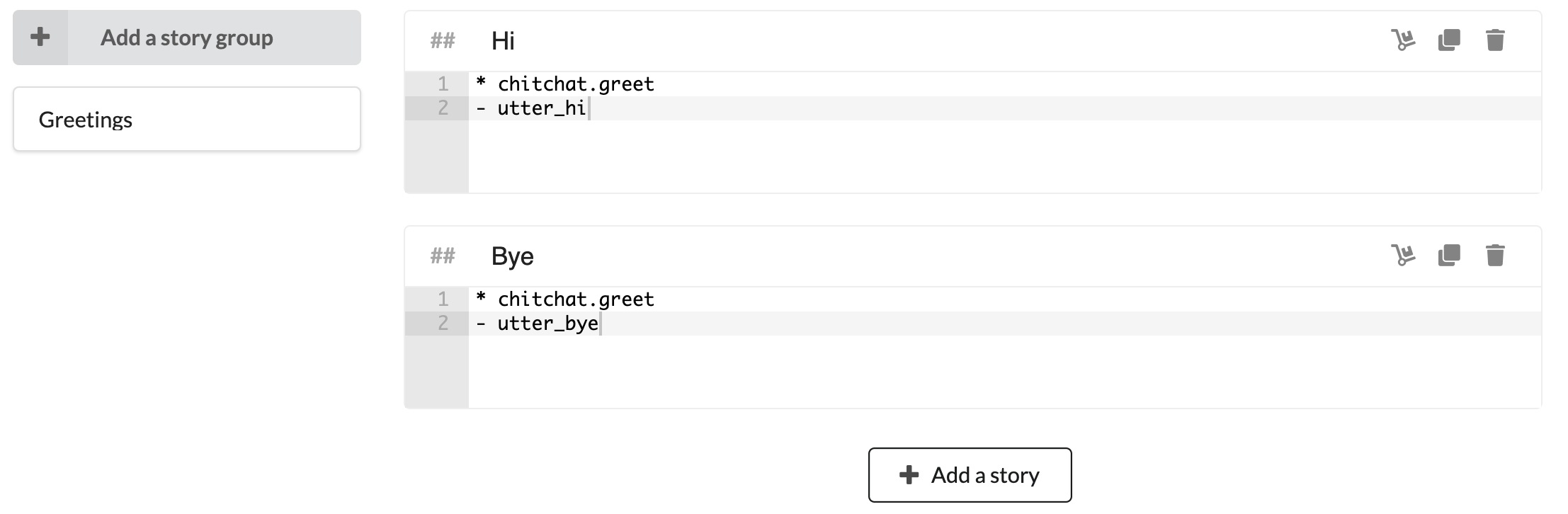
Then open the chat window. Since we haven't trained our bot to understand natural language, we'll talk with intents. It can be done by prepending a / to the intent name. So you can start the conversation with /chitchat.greet. You should be able to reproduce the conversation above: if you say /chitchat.greet three times, you should get 3 different answers.
# Add natural language
Select NLU from the sidebar and go the Chitchat tab. Select chitchat.greet and chitchat.bye, import, and train.
# Add a bot response
Select Bot responses in the sidebar, then create four different bot responses. The names of the bot responses will be used in stories:
utter_hi_thereutter_hi_againutter_hmm_reallyutter_bye
Congrats, now you can finally have a real (!) conversation with our bot!
# Adding languages
You can easily add a new language to your project in the project settings. Once you save, your new language will be available in the top left selector.
Let's add French in the settings and add our training data as well, and retrain (since we added French we have ready to use data here as well).
And voilà, our bot speaks French!
# Next steps
You can dive in the official Rasa docs or simply follow the rest of the tutorial.